Cisco Certified Network Associate (CCNA)

Customization of CMD prompt
Network Stages:
- My PC: This is your primary device (computer or laptop) from which you are accessing the network.
- Switch: A switch connects multiple devices within a Local Area Network (LAN). It acts as a central hub for devices in your home or office to talk to each other.
- Router: The router’s job is to direct traffic between your local network and the outside world. It “routes” data packets to their correct destinations.
- Firewall: This is your security barrier. It monitors incoming and outgoing traffic to block hackers, viruses, or unauthorized access.
- Modem: The modem converts digital signals from your devices into a format that the service provider’s network can understand (and vice versa). It is the bridge between your home and the ISP.
- ATT Fiber: This represents your specific internet connection type. AT&T is the service provider, and Fiber refers to high-speed fiber-optic cables that use light to transmit data.
- Internet: Finally, after passing through these layers, you are connected to the global World Wide Web.
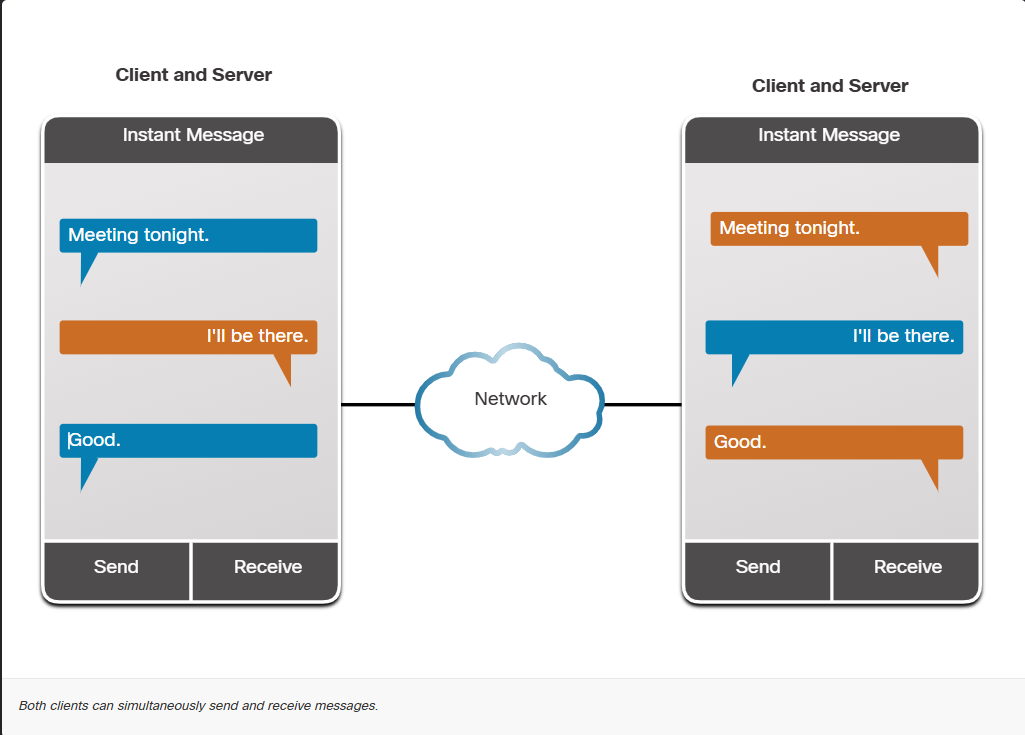
Peer to peer
Customization of CMD prompt Customization of CMD prompt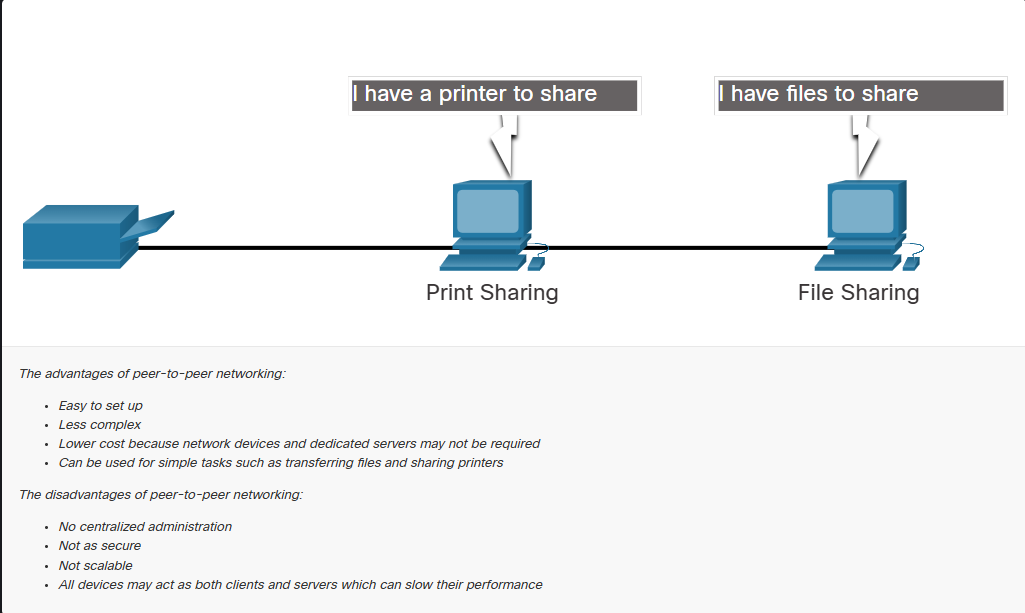
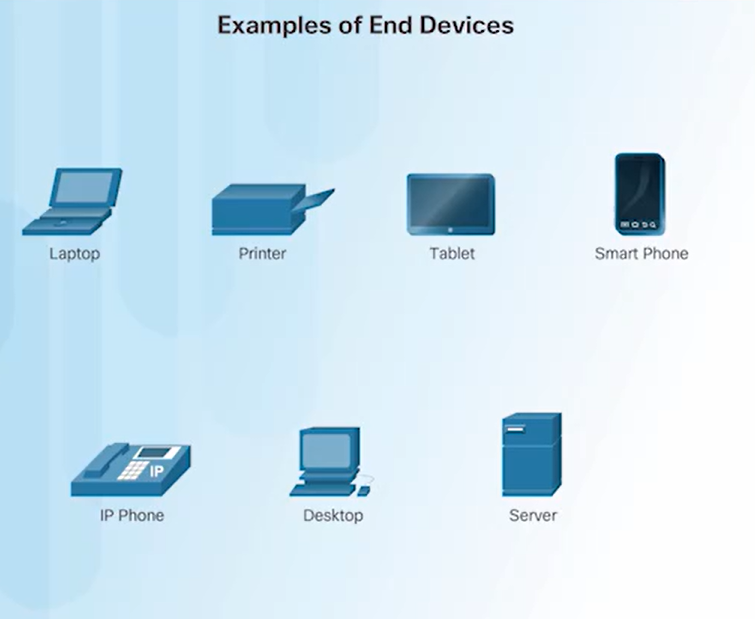
Devices
Customization of CMD prompt Customization of CMD prompt Customization of CMD prompt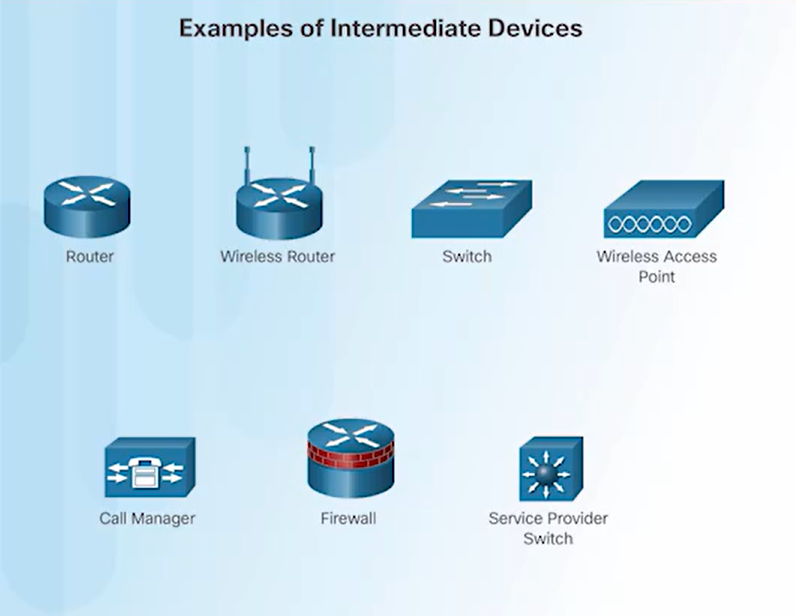
SOHO networks = small office / home office
Blutooth is the one to many connection provider
Cordless phone that have no connection between the phone and basestation. Wireless standards for LANs use the 2.4 GHz and 5 GHz frequency bands. Collectively these technologies are referred to as Wi-Fi. Another organization, known as the Wi-Fi Alliance, is responsible for testing wireless LAN devices from different manufacturers. https://www.wi-fi.org/
An SSID (Service Set Identifier) is the public name of a Wi-Fi network Specifies the channel over which communication all devices using Wi-fi The SSID will be broadcast to all devices within range. By default, set to Enabled.The SSID is a case-sensitive, alphanumeric string that contains up to 32 characters Both ISO and TCP/IP model is a reference model
Power pine Networking
https://www.youtube.com/watch?v=1SpY1vwEIJI&t=78s
Many layers
Customization of CMD prompt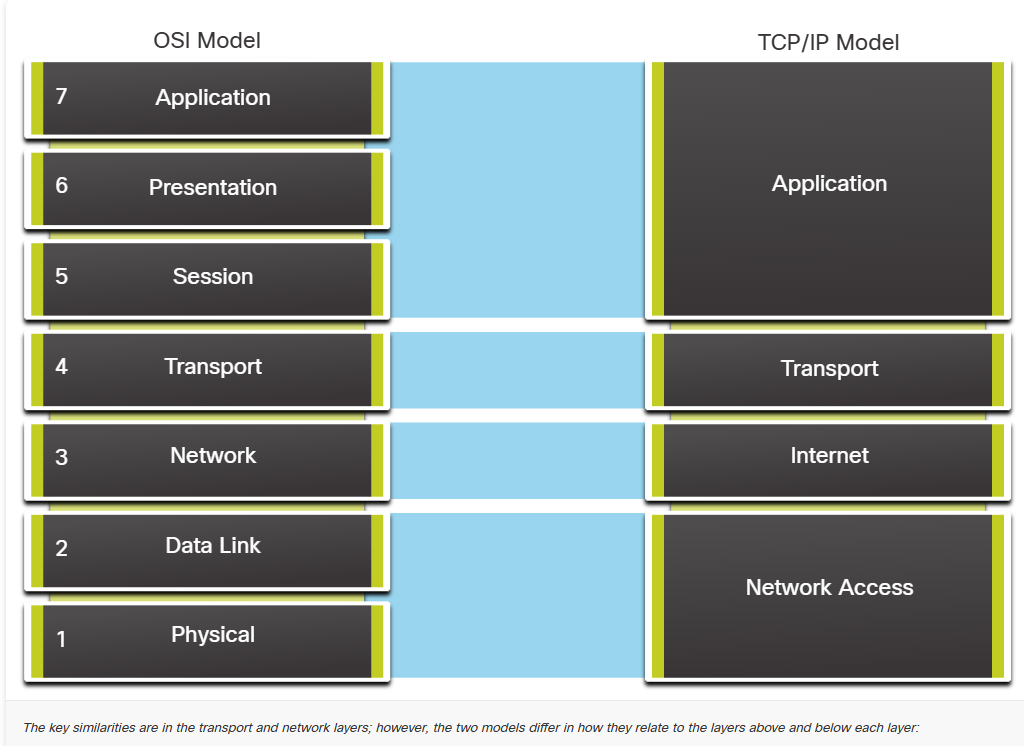
OSI Model Layers with Examples
- Application Layer (Layer 7): Where user interacts with the network (e.g., web browsers, email clients).
- Presentation Layer (Layer 6): Ensures data is in a usable format (encryption, compression, translation).
- Session Layer (Layer 5): Manages sessions between applications (e.g., API handshakes, authentication).
- Transport Layer (Layer 4): Provides reliable data transfer (TCP) or fast but unreliable (UDP).
- Network Layer (Layer 3): Handles logical addressing (IP) and routing.
- Data Link Layer (Layer 2): Handles physical addressing (MAC) and error detection.
- Physical Layer (Layer 1): Transmits raw bits over physical media (cables, radio waves).
Wi-fi
Port cable name RJ45
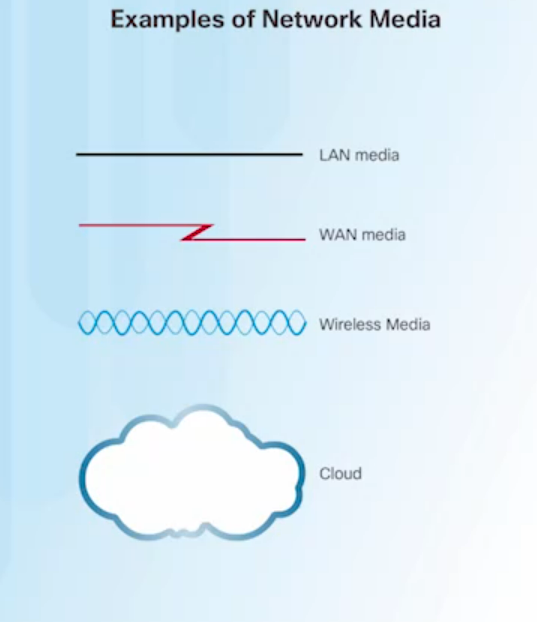
Modern networks primarily use three types of media to interconnect devices, as shown in the figure:
Metal wires within cables - Data is encoded into electrical impulses. Glass or plastic fibers within cables (fiber-optic cable) - Data is encoded into pulses of light. Wireless transmission - Data is encoded via modulation of specific frequencies of electromagnetic waves.
WHAT IS FRAME
Each computer message is encapsulated in a specific format, called a frame, before it is sent over the network
WHAT IS ENCAPTULATION AND DECAPTULATION
The process of placing one message format (the letter) inside another message format (the envelope) is called encapsulation. De-encapsulation occurs when the process is reversed by the recipient and the letter is removed from the envelope